The Lucas Paving Client Portal

The Lucas Paving Client Portal

Your Client Portal

The Lucas Paving Client Portal allows your organization to log into a project management website to submit jobs. This portal will be customized specifically for you.
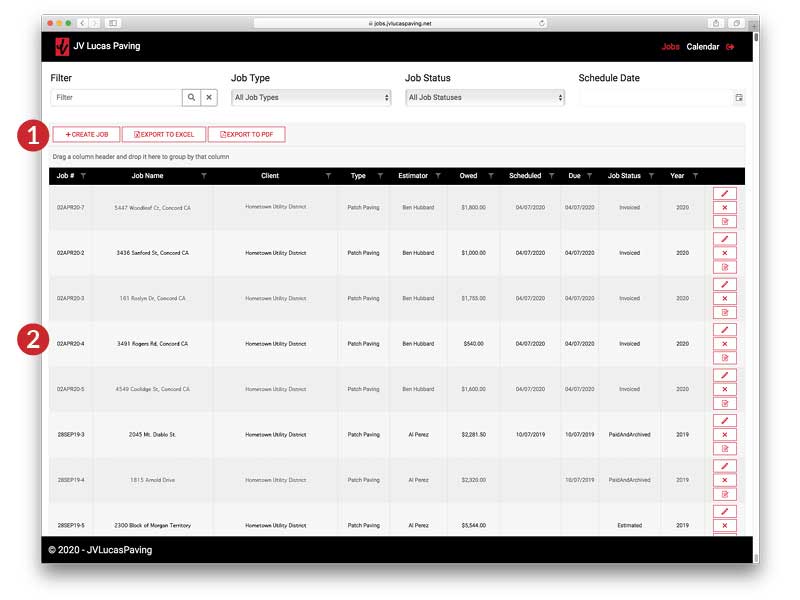

JV Lucas Paving Client Portal Project Grid Screen

Submitting a Job

Once you have logged in you can create jobs with the click of a button. Just click the Create Job Button ( 1 ) and the Create Job Modal will appear (see below).

Your organization's project grid provides access to the history of all jobs submitted and the status of those jobs ( 2 ).
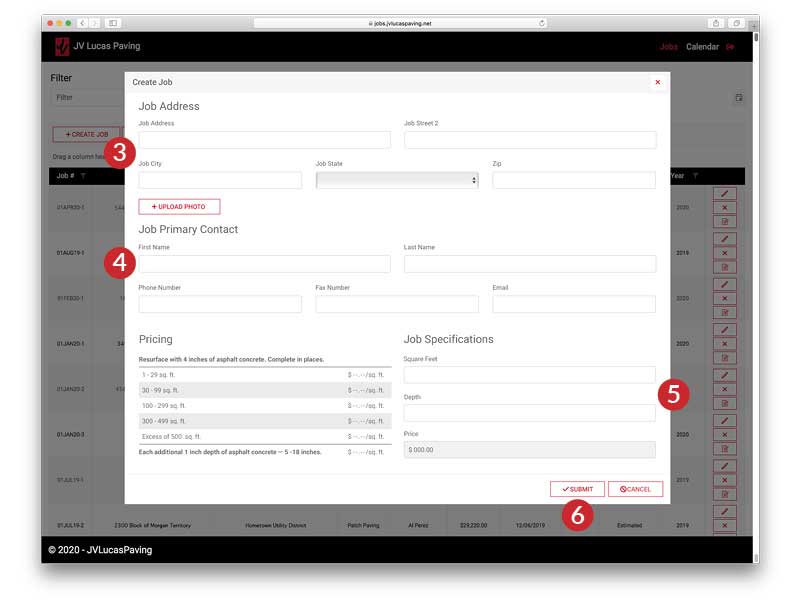

JV Lucas Paving Client Portal Create a Job Screen

Create Job Modal

Submitting a job is simple. A pricing grid is provided for reference. Just enter:

  • ( 3 ) Job Address & Photo
  • ( 4 ) Primary Contact
  • ( 5 ) Patch Square Footage & Depth
  • ( 6 ) Hit Submit

It's that easy!


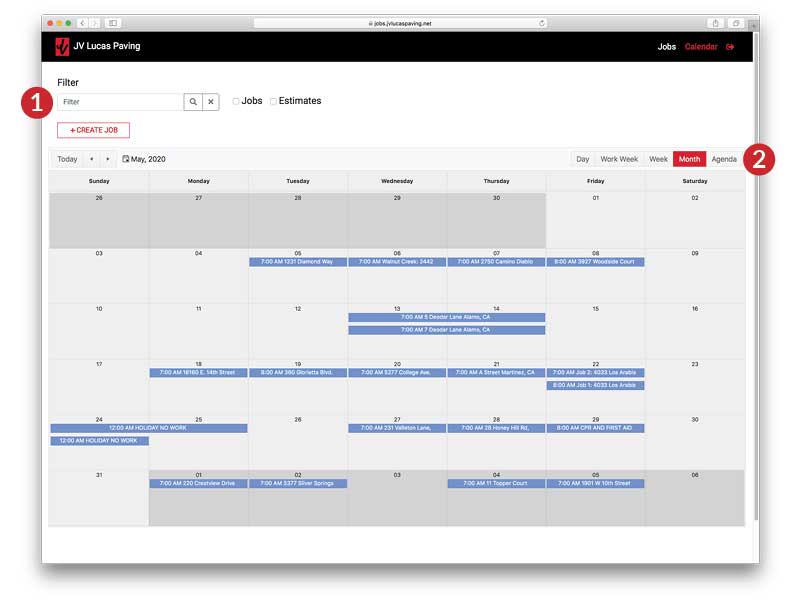
JV Lucas Paving Client Portal Calendar Screen

Using the Calendar

Once a job has been submitted, it can also be viewed in the Calendar. Filters allow for sorting of Jobs, Estimates, and by keyword ( 1 ). The Calendar can be viewed as a single day, a workweek, a full week, a month, or as an agenda ( 2 ).

"Superb workmanship, excellent crew direction and thoroughness one could have performed. This company is most worthy of recommendation to others who wish to have a road repair done."

– Nando O., San Ramon, CA

"I highly recommend this company. Excellent job and great guys. Very professional."

– G R., Lafayette, CA

"Great seal coat job as always. Our parking lot looks great! Best quality job we have ever gotten."

– Bill W., Martinez, CA

"Lucas Paving was professional, fast and has outstanding customer service. My paving needs will always go to Lucas and I recommend anyone looking for paving work to give them a call."

– Mark L., Pleasant Hill, CA

Reach Out for a Free Consultation

Request Now

Sign Up For Our Newsletter

Thank you for signing up!